The “Zoom Meeting” That Isn’t a Meeting: A Growing Scam Targeting Real Estate, Insurance, and Other Client-Facing Businesses
When a promising new client turns into a cybersecurity nightmare
If you work in real estate, insurance, financial services, consulting, or any business where new clients regularly reach out, you’ve probably received requests to meet online.
Maybe they’re moving into the area and haven’t arrived yet.
Maybe they’re traveling.
Maybe they’re busy and want to save a trip across town.
None of that sounds unusual. In fact, providing flexible meeting options is often part of good customer service.
Unfortunately, scammers know that too.
How the Scam Works
The attack usually starts with what appears to be a legitimate prospective client.
They reach out with a realistic request, ask intelligent questions, and seem genuinely interested in your services. Everything feels normal.
Then they suggest a virtual meeting and send you a Zoom link.
At first glance, nothing seems suspicious. Zoom is a trusted platform that millions of people use every day. Most of us spent years using it for work, school, and family meetings.
That’s exactly why this scam is so effective.
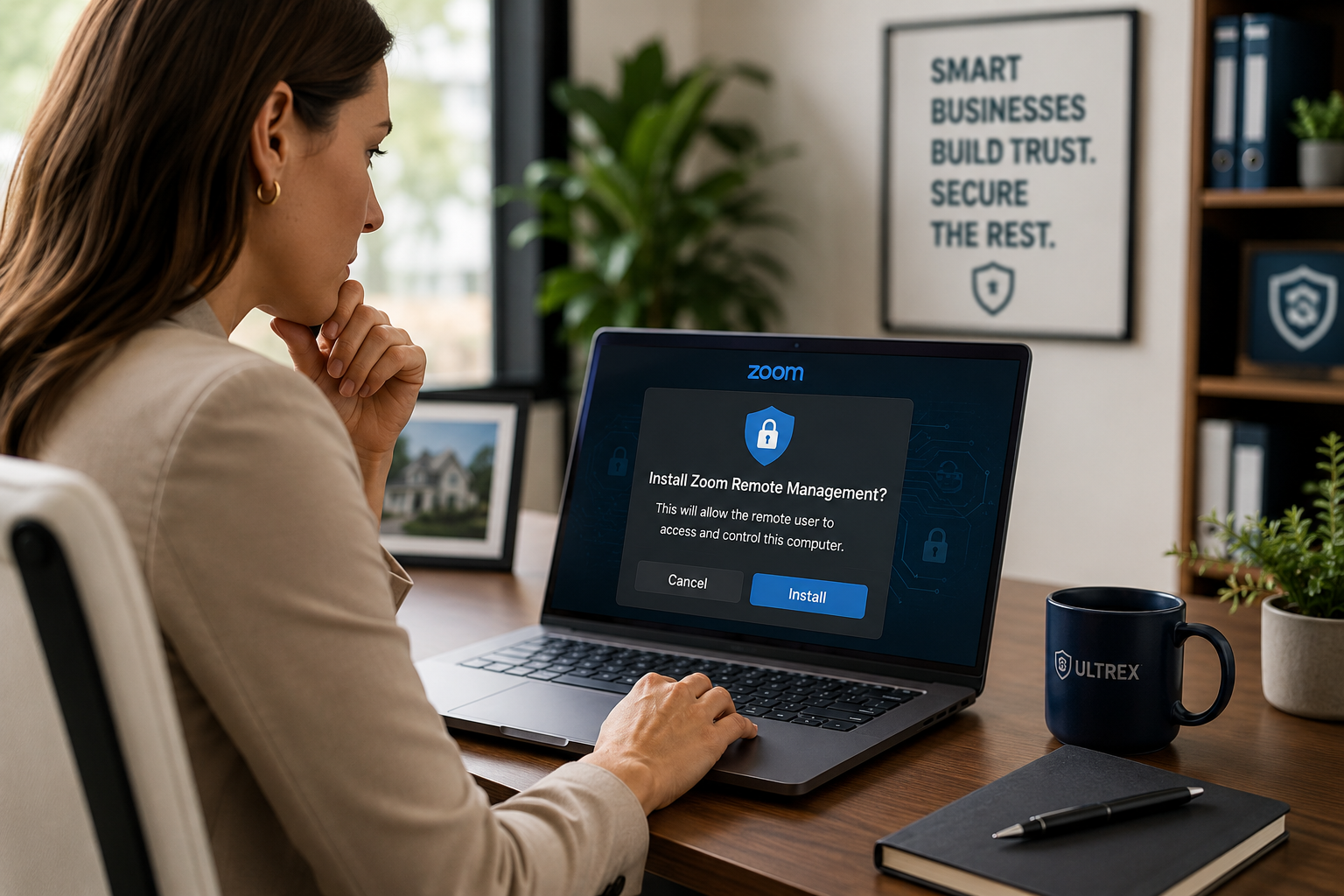
The link may come from Zoom and appear completely legitimate, but instead of joining a standard meeting, you’re being prompted to install Zoom Remote Management (RMM) software.
Why This Is So Dangerous
Remote Monitoring and Management (RMM) tools are legitimate software used by IT providers—including companies like Ultrex—to remotely support and manage computers.
The problem isn’t the software itself.
The problem is who you’re giving access to.
When installed and authorized, an RMM tool can provide extensive control over your computer, including:
- Remote keyboard and mouse control
- Access to files and folders
- The ability to run commands in the background
- Software installation and removal
- User account and password changes
- System configuration changes
In the hands of a trusted IT provider, these tools make support faster and more efficient.
In the hands of a scammer, they can become a direct pathway into your computer, your business data, and potentially your entire network.
“But It Said Zoom…”
That’s what makes this attack so successful.
Most people don’t carefully read every installation prompt that appears on screen. When we’re trying to join a meeting, we’re focused on getting into the call—not reviewing technical details.
So when the installer asks for permissions, many users simply click:
- Next
- Accept
- Continue
- Allow
without realizing they’re approving remote access software rather than joining a video meeting.
The warnings are often there. They’re just easy to miss when you’re expecting a meeting invitation.
Why Uninstalling It Isn’t Enough
Once you’ve granted remote administrative access to an unknown party, you should assume they had the ability to make changes to the computer.
That could include:
- Installing additional remote access tools
- Creating new user accounts
- Changing security settings
- Establishing persistence so they can reconnect later
- Accessing sensitive files or saved passwords
Because it’s difficult to know exactly what actions were taken, simply uninstalling the software doesn’t guarantee the system is safe.
In many cases, the safest approach is a complete wipe and reload of the affected computer, followed by password resets and a review of any accounts that may have been accessed.
Think of it this way: if a stranger sat down at your unlocked computer for an hour while you weren’t watching, would you trust that nothing had changed?
Most businesses wouldn’t.
How to Protect Yourself
The good news is that you don’t have to stop accepting new clients or become suspicious of everyone who contacts you.
Instead, make a few simple changes to how you handle online meetings.
Use Your Own Meeting Platform Whenever Possible
If your company already uses:
- Microsoft Teams
- Google Meet
- Zoom
- RingCentral
- An Ultrex-hosted meeting solution
- Another business meeting platform
Send your meeting invitation instead of joining one provided by the other party.
When you’re using a platform that’s already installed and managed by your organization, you dramatically reduce the risk of installing something unexpected.
Read Before You Click
If someone sends you a meeting link and asks you to install software, take a moment to read what’s actually being installed.
Look for terms like:
- Remote Management
- Remote Support
- Remote Access
- RMM
- Screen Control
- Device Management
A legitimate meeting should not require you to hand complete control of your computer to another person.
Be Extra Careful With High-Value New Prospects
This scam is especially common in industries where a single new customer can be worth thousands of dollars.
That includes:
- Real estate
- Insurance
- Financial services
- Legal services
- Consulting
- Construction and contracting
Scammers know businesses in these industries are motivated to respond quickly to new opportunities.
That’s why they’re often targeted.
When in Doubt, Ask
If you’re ever unsure whether a meeting invitation is legitimate, stop and verify before installing anything.
A quick call to your IT provider can save hours—or days—of cleanup later.
At Ultrex, helping clients identify suspicious emails, software installations, and scam attempts is simply part of the service. We don’t charge by the ticket or by the visit, so if something feels off, we’d much rather you ask before clicking than call after a compromise.
Cybersecurity doesn’t mean avoiding new business opportunities. It means knowing how to recognize when someone is trying to use those opportunities against you.
A little caution can keep a promising new client meeting from becoming a very expensive security incident.