The Worst Time to Find Out Your Backup Doesn’t Work Is When You Need It
Let’s start with an uncomfortable question:
How many people can honestly say that everything they know should be on their calendar is actually on their calendar?
How many people have zero dirty dishes in the sink?
Zero laundry waiting to be folded?
Now for the important one:
If your computer or server died tomorrow, are you completely confident your backups would save the day?
Most people hesitate.
Not because they don’t care about backups. Most business owners know backups are important. The problem is that backups often fall into the same category as exercise, meal prep, and cleaning out your inbox—things we fully intend to stay on top of, but somehow never quite get around to consistently.
And when it comes to backups, “mostly” isn’t good enough.
The Backup Plan That Never Actually Happens
We’ve seen the same story hundreds of times.
A company has two USB drives. Someone is supposed to rotate them every week. One is supposed to be taken off-site.
When we ask when that last happened, the answer is usually something like:
“I’m pretty sure we’re still doing that…”
More often than not, both drives are sitting right next to the server.
One might not have been updated in months.
The other might not even be working.
Technically, there was a backup plan.
In reality, there wasn’t.
We’ve written separately about the 3-2-1 Backup Rule, but the short version is:
- Keep 3 copies of your data
- Store them on 2 different types of media
- Keep 1 copy off-site
Most businesses don’t fully meet those requirements. And even when they do, there’s another problem lurking in the background.
A Backup You Never Check Isn’t Really a Backup
Sometimes we’ll find a backup drive that’s been plugged into a server for years.
The backup software reports success.
Nobody has checked it.
Nobody has tested it.
Nobody knows if it would actually restore.
That’s not a backup.
That’s a hope and a dream.
A backup only matters if it can successfully restore when disaster strikes.
Why We Like Automated, Managed Backups
At Ultrex, we offer a managed backup solution called Cove Backup.
Instead of relying on someone remembering to swap drives or manually start a backup, everything happens automatically.
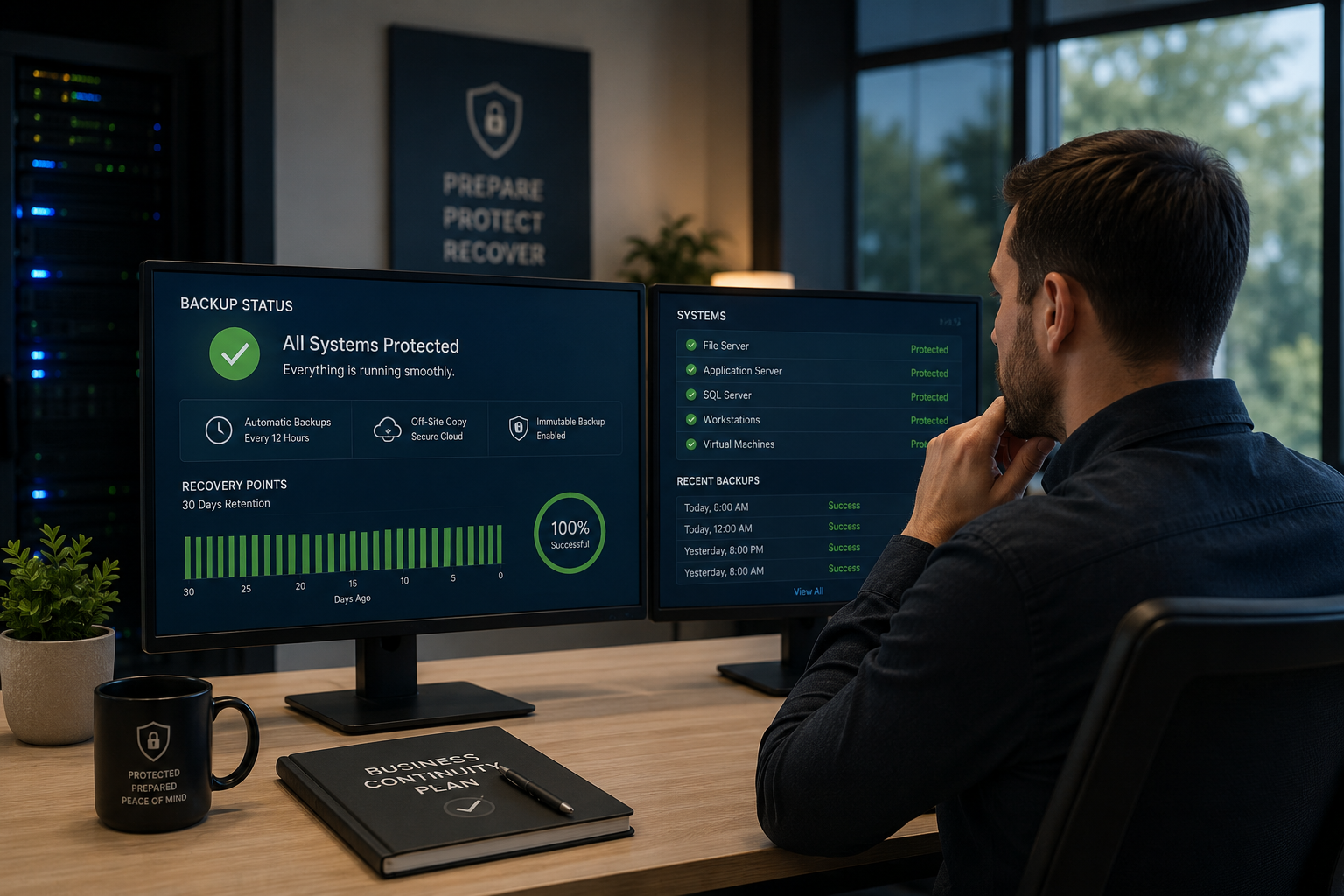
Backups can run every hour, every 12 hours, or every 24 hours depending on your needs, and recovery points are retained for up to 30 days.
More importantly, they’re monitored.
If something stops working, someone knows about it.
That’s a huge difference from a backup drive quietly failing for six months while everyone assumes everything is fine.
The Importance of Immutable Backups
One of the biggest threats businesses face today is ransomware.
Modern ransomware doesn’t just encrypt your files.
It often looks for your backups too.
That’s why we strongly recommend immutable backups.
Immutable means that once a backup is created, it cannot be modified, altered, or deleted—even by us or the backup provider.
The backup is effectively frozen in time.
If malware infects your systems tomorrow, it can’t spread into yesterday’s backup and destroy it.
Compare that to a traditional USB drive connected directly to a server.
If the server gets infected, the drive is sitting right there.
The virus can access it just like everything else.
Suddenly your production data and your backup data are both compromised.
Off-Site Matters More Than Most People Realize
A backup plugged into the server doesn’t help much if the building burns down.
Or floods.
Or gets burglarized.
Or experiences a major electrical event.
A true backup strategy includes an off-site copy that survives even if the entire building doesn’t.
That’s why cloud-based, off-site backups have become such an important part of modern business continuity planning.
Backups Are Only Half the Story
The next question isn’t:
“Do I have a backup?”
It’s:
“How long can I afford to be down?”
This is where backup and disaster recovery become two very different conversations.
Many cloud backup products focus on protecting files and folders.
That’s helpful.
But if your server fails completely, restoring files alone may not get you back to work.
You’ll still need to:
- Build a new server
- Configure Windows
- Reinstall applications
- Recreate settings
- Restore all the data
Depending on your environment, that could take days.
We’ve worked with organizations storing multiple terabytes of data. Even on excellent internet connections, downloading and restoring everything can take several days.
The real question becomes:
What does three days of downtime cost your business?
If employees can’t work, customers can’t be served, and operations come to a standstill, the cost of downtime often dwarfs the cost of a proper backup solution.
Recovery Time Matters
The backup solutions we recommend don’t just protect files.
They protect the entire system.
Operating system.
Applications.
Settings.
Configurations.
Data.
Everything.
Many businesses choose to go one step further by maintaining a standby recovery image.
Think of it as having a replacement server ready to go.
Your backups are restored and updated regularly onto recovery hardware housed off-site. If your primary server fails, we already have a recent version of your environment available.
Instead of waiting days to rebuild a server, recovery may be as simple as delivering replacement hardware and getting you back online.
That’s a very different conversation than hoping you can download several terabytes of data and rebuild everything from scratch.
We Don’t Just Monitor Backups—We Test Restores
This is one of the biggest differences between having a backup and knowing you’re protected.
When we perform recovery testing on standby systems, we don’t simply verify that a backup file exists.
We actually restore the system.
We boot it.
We verify that it starts correctly.
We confirm that applications launch and that the environment functions as expected.
A successful backup is good.
A successful restore is what actually matters.
Data Loss Can Put Businesses Out of Business
For years, studies have shown that businesses suffering catastrophic data loss often struggle to recover financially.
The reason is simple.
If your accounting data disappears, vendors will still expect payment.
If your customer records disappear, customers aren’t necessarily going to call and remind you to invoice them.
Most people don’t intentionally avoid paying—they simply forget about bills they never receive.
When critical business information vanishes, the damage often extends far beyond IT.
That’s why backup planning should be treated as a business continuity issue, not just a technology issue.
The Best Time to Evaluate Your Backup Strategy Is Before You Need It
Unfortunately, we often receive calls after the damage has already happened.
The ransomware attack has already encrypted everything.
The employee has already deleted important files.
The server has already failed.
That’s the worst possible time to figure out what backup system you have.
It’s also the worst time to start searching for an IT partner.
The businesses that recover fastest are usually the ones that planned ahead.
They know what their backups are.
They know how quickly they can restore.
They know who they’re calling if something goes wrong.
Let’s Build a Backup Plan That Fits Your Business
At Ultrex, we help businesses design backup and disaster recovery solutions across a wide range of budgets and risk tolerances.
Some organizations need simple protection for critical files.
Others need near-instant recovery with standby systems ready to go.
There’s no one-size-fits-all answer.
Unlike providers who charge per ticket or nickel-and-dime every conversation, our retainer clients can sit down with us and discuss backup strategies, disaster recovery planning, and security improvements without worrying about the meter running.
Our goal isn’t to push one specific product.
It’s to help you find the right balance between cost, convenience, recovery speed, and security.
Because the best backup isn’t the most expensive one.
It’s the one you’ll actually be glad you have when the unexpected happens.
Ready to Find Out How Protected You Really Are?
If you’re not completely confident in your backups, let’s talk.
We’ll help you evaluate your current setup, identify gaps, and build a plan that makes sense for your business, your budget, and your goals.
Because the worst time to discover your backup strategy has problems is the moment you need it.