The End of Text Message MFA in Microsoft 365: What You Need to Know
Microsoft is retiring SMS and voice verification – here is what’s changing and how we’re making the upgrade smooth and stress-free.
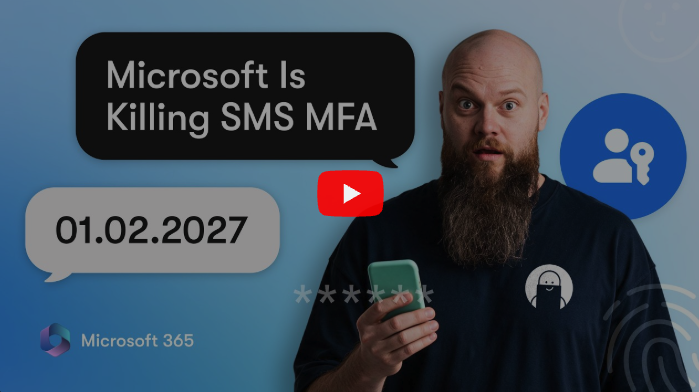
If your team relies on a text message code or a phone call to sign into Microsoft 365, big changes are coming. Microsoft is phasing out native SMS and voice-based Multi-Factor Authentication (MFA) across Microsoft Entra ID (formerly Azure AD).
While text message codes were a great first step years ago, security threats have evolved, and Microsoft is steering everyone toward faster, vastly more secure options.
The good news? You have plenty of time to prepare, and at Ultrex, we’ll handle the heavy lifting for you as part of your standard service.
Why Is SMS Authentication Going Away?
Let’s be real – receiving a six-digit text code feels convenient, but text codes are no longer considered secure by modern standards.
Here is why Microsoft is retiring them:
- SIM Swapping Attacks: Scammers can trick cellular carriers into transferring your phone number to their SIM card, letting them intercept your text codes in real time.
- Phishing & Man-in-the-Middle: Fake login pages easily trick people into typing in their fresh six-digit text code, allowing hackers to grab it and log in immediately.
- Network Interception: Text messages travel in plain text across cellular networks and can be intercepted along the way.
Text codes are better than no MFA at all, but Microsoft is officially closing the door on cardboard security.
The Retirement Timeline
Microsoft has set a clear path to phase out SMS and voice codes:
- September 1, 2026 – Automatic Passkey Nudges: Microsoft will begin auto-enabling passkey registration campaigns. Users who still have SMS or voice enabled in their settings will start seeing friendly prompts during login asking them to register a passkey.
- February 1, 2027 – Full Retirement: Microsoft-provided SMS and voice delivery officially ends. If a user only has text/voice configured and no other method, they will be blocked from signing in until they register a modern authentication method like a passkey.
(Note: Third-party telecom options via the Microsoft Security Store will be available for special compliance needs, but they require paid carrier contracts and custom setup. For almost every business, switching to modern passkeys is the right move.)
What Are Passkeys and Why Are They Better?
Microsoft is pushing everyone toward Passkeys and phishing-resistant authentication.
Instead of waiting for a text or typing numbers, passkeys rely on secure cryptography tied to your device or password manager.
- Phishing-Resistant: Passkeys cannot be stolen by fake login pages or trick web links.
- Super Convenient: Sign in using face recognition, your fingerprint, Windows Hello, or your password manager (like 1Password).
- Cross-Device: Options exist for synced passkeys (following your profile across devices) or hardware-bound passkeys for higher security environments.
Tailored to Your Needs – Covered by Your Retainer
At Ultrex, we don’t believe in one-size-fits-all IT. We don’t tie ourselves to any single tool or force you into a rigid box. We tailor fit our recommendations to your budget, your exact needs, and where your organization lands on the cost vs. security vs. convenience spectrum.
Here is how we handle this transition for your team:
- Complete Tenant Audits: We find everyone using SMS or voice codes – including users who set up an app long ago but still have a lingering mobile number in their profile.
- Smooth, Managed Rollouts: We configure your authentication policies and registration prompts so nobody is caught off guard by unexpected pop-ups or blocked logins.
- Clear Team Communication & Training: We provide simple guides and walk your team through setup step-by-step.
Best of all, we don’t bill per ticket or per visit. Support for this transition – from initial audit to end-user training – is completely included in your monthly retainer. No surprise bills, no extra per-user transition fees, and no nickel-and-diming.
There’s no single right answer for every organization, so let’s dive in and find the right path for you – together!
Ready to Upgrade Your Login Security?
Whether you want to switch to passkeys early, roll out Microsoft Authenticator, or integrate 1Password, we are here to make it effortless.
👉 Contact Ultrex today – let’s make your Microsoft 365 sign-in safer, smoother, and completely hassle-free.