Stop Moving Paper. Start Moving Your Business Forward.
Your copier can do a lot more of the busywork. Here’s how.
How many times a day does someone in your office print something, walk it to the copier, scan it, rename the file, email it, and save it to a folder?
Each one only takes a minute. But across a whole team, every day, all year? That adds up fast.
The good news: today’s multifunction printers can take a lot of that busywork off your plate. They just need to be set up the right way.
Your Copier Can Do More Than Copy
We work with Kyocera and Toshiba, and both offer software that turns a copier into a real productivity tool:
- Kyocera HyPAS applications
- Toshiba Elevate Sky
They take slightly different approaches, but the goal is the same: less clicking, less sorting, less repetitive work.
Kyocera HyPAS: One-Touch Buttons Built for Your Office
HyPAS lets us add custom workflows right on the copier’s touchscreen.
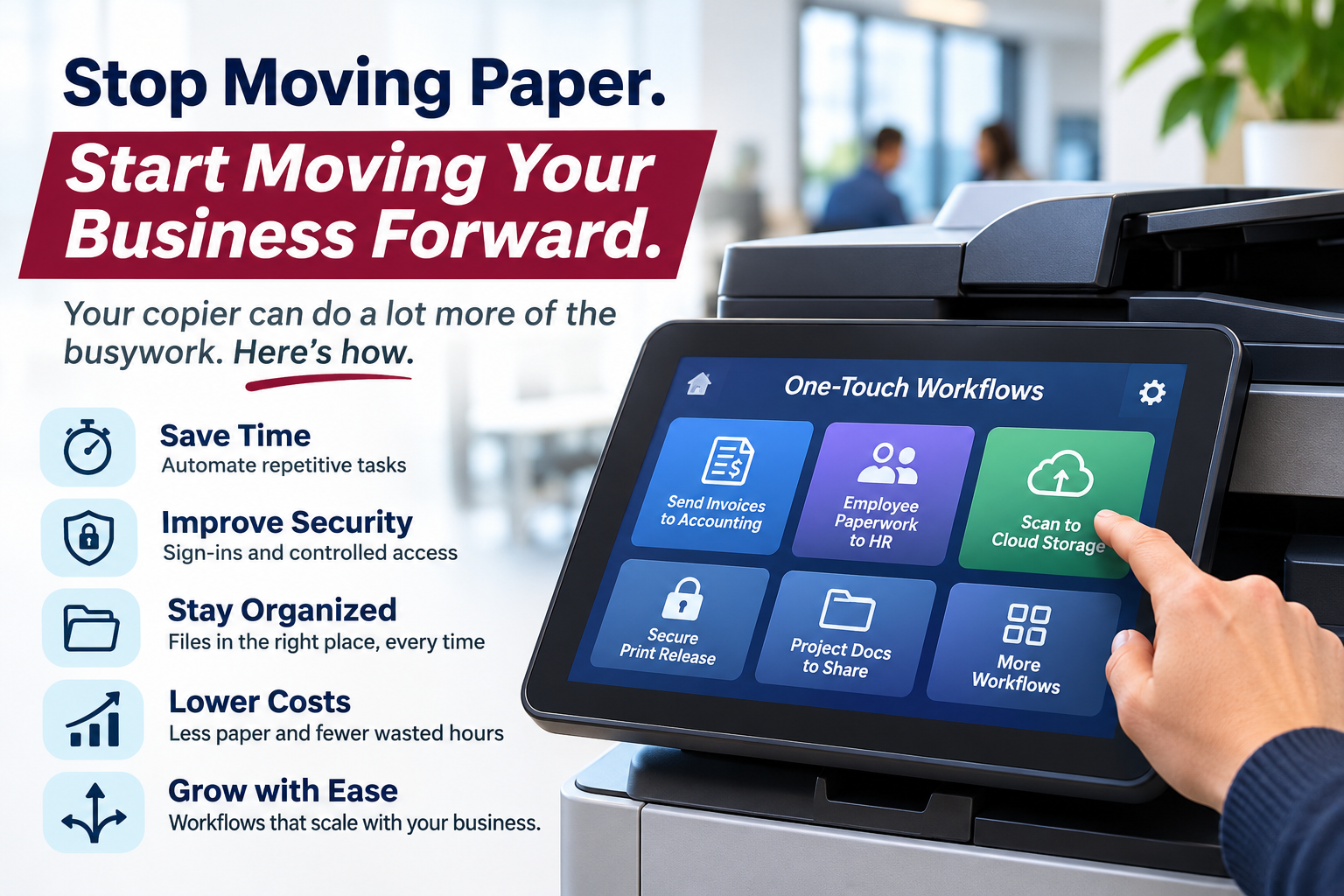
Picture walking up to your copier and seeing buttons made just for your business. One sends invoices to accounting. Another scans employee paperwork into an HR folder. Another drops customer documents into cloud storage.
Load the feeder, tap the button, press start. The copier handles the rest.
Depending on the apps you choose, HyPAS can handle things like:
- 📂 Custom scan workflows sent to preset destinations
- ☁️ Scanning straight to supported cloud storage
- 🔒 User sign-in and controlled access
- 🔗 Integration with supported business applications
No more typing in email addresses, hunting for folders, or fiddling with scan settings every time.
Secure printing, too
With Kyocera Cloud Print and Scan, employees send a print job and then release it at the copier after they sign in. That means no sensitive documents sitting in the output tray for anyone to grab. It’s also handy for businesses with multiple offices or remote staff.
Toshiba Elevate Sky: Automating What Happens After the Scan
Elevate Sky takes things a step further. Instead of just scanning a document and sending it somewhere, it helps automate what happens to that document next. It works in three steps:
- Capture – Scan from a Toshiba multifunction printer, a computer, or a supported mobile device.
- Process – AI-powered tools help identify and organize the information, so your team spends less time renaming, sorting, and retyping.
- Route – Documents get delivered to the right place automatically, including popular business apps and cloud services you already use.
That’s where the real time savings kick in.
What You Actually Get Out of It
- ⏱️ More time for real work – less admin, more of what your team was hired to do
- 🔒 Better security – sign-ins, controlled access, and secure routing for sensitive info
- 🗂️ Files you can actually find – consistent names and consistent locations
- 💰 Lower costs – fewer wasted hours and less paper shuffling
- 📈 Room to grow – workflows that expand as you add people, departments, or locations
The Setup Is What Makes It Work
Here’s the honest truth: buying a copier with fancy software won’t make your office more efficient on its own.
The value comes from setting it up around how your team actually works. A medical office needs secure routing for patient paperwork. A construction company needs invoices, project docs, and work orders going to the right people. An accounting firm needs to move a lot of financial documents. There’s no one right answer for everyone.
That’s why we start by looking at how documents come into your business, where they need to go, and who needs access. Then we recommend what fits. And because we carry more than one brand, we’re not trying to squeeze you into a single solution. We’ll match the setup to your budget, your needs, and how much automation makes sense for you.
Let’s Take a Look at What You’ve Got
For over 25 years, Ultrex has helped Oregon businesses get more out of their office technology. And since we’re local, we’re here to keep things running after the install, too.
We’ll take a look at:
- Your current printing and scanning setup
- Repetitive paperwork tasks worth automating
- Opportunities for one-touch scanning and automatic routing
- Cloud storage and business app integrations
- Print security and user sign-in
You might find the biggest upgrade isn’t a new machine. It’s getting more out of the one you already have.
👉 Reach out and let’s find the right fit for your office – together.
Ultrex Business Solutions Your Partner for Office Technology, Managed IT, Communications, and Business Productivity Solutions Albany, Oregon · 541.928.6522 · www.ultrex.co