Skip to content
  • Home
  • Company
    • About
    • Meet The Team
    • Posts
    • Work at Ultrex
  • IT
    • IT Support
    • IT Services
    • Cybersecurity
    • Meet The IT Team
    • IT Articles / Updates
  • Products
    • Copiers & Printers
    • Production Print
    • Phone Systems
    • Postage Meters
    • Security Cameras
    • Wide Format Printers
    • Bottleless Water
  • Customer Center
    • Payment Center
    • Copier Equipment Survey
    • Download Printer Drivers
    • Operation Manuals
    • Order Supplies
    • Phone Guides
    • Request Service
    • Submit Meter Readings
    • Toshiba Training
  • Contact
541.928.6522 | sales@ultrex.com
Ultrex Business Solutions Logo
  • Home
  • Company
    • About
    • Meet The Team
    • Posts
    • Work at Ultrex
  • IT
    • IT Support
    • IT Services
    • Cybersecurity
    • Meet The IT Team
    • IT Articles / Updates
  • Products
    • Copiers & Printers
    • Production Print
    • Phone Systems
    • Postage Meters
    • Security Cameras
    • Wide Format Printers
    • Bottleless Water
  • Customer Center
    • Payment Center
    • Copier Equipment Survey
    • Download Printer Drivers
    • Operation Manuals
    • Order Supplies
    • Phone Guides
    • Request Service
    • Submit Meter Readings
    • Toshiba Training
  • Contact
Ultrex Business Solutions Logo

Browse by Category

  • IT Articles (64)
  • AI (5)
  • Backups & Data Protection (3)
  • Computers & Devices (8)
  • Cybersecurity (22)
  • Email (11)
  • Google Workspace (2)
  • Managed IT Services (13)
  • Microsoft 365 (12)
  • Networking & Wi-Fi (2)
  • Nonprofits & Churches (4)
  • Passwords & MFA (9)
  • Scams & Phishing Alerts (5)
  • Scanning and Printers (4)
  • Security Cameras (2)
  • Tech News & Alerts (10)
  • Tips & How-To (11)
  • Ultrex News & Announcements (4)
  • Cybersecurity, IT Articles, Passwords & MFA, Tips & How-To

How to Use 1Password: The Practical Guide to Simpler, Stronger Security

Real protection without the daily headache. Very rarely do convenience and security land on the same side of the spectrum. Usually, making something safer means adding more roadblocks to your day. Password management is the rare exception. When done right,…
  • Jim Smith
  • November 4, 2026
  • IT Articles, Microsoft 365, Tech News & Alerts, Tips & How-To

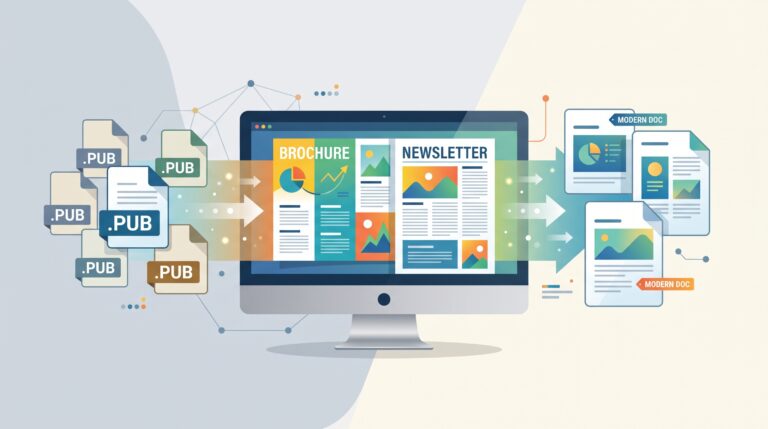
Microsoft Publisher Is Retiring: How to Keep Your Old Files and What to Use Next

Don’t panic. Your designs aren’t lost. If you rely on Microsoft Publisher to create brochures, flyers, or newsletters, you might have heard the news: Microsoft announced that Publisher is reaching its official end of life in October 2026. Normally, when…

  • Jim Smith
  • September 15, 2026
  • Cybersecurity, IT Articles, Tips & How-To

Why We Recommend Virtual Cards for Subscription Management

Virtual Cards for Subscription Management visual showing a card mock-up meant to help you visualize a virtual card

Take Control of Your Subscriptions (and Your Sanity) We’ve all been there. You sign up for a free trial. Maybe it’s a software tool, a streaming service, an AI platform, or a “limited-time” promotion. You fully intend to cancel before…

  • Jim Smith
  • June 23, 2026
  • Backups & Data Protection, IT Articles, Tips & How-To

You’re Probably Storing Your Photos Dangerously

And it’s riskier than you think. Let’s start with a hard truth: 👉 If your photos live on just one device, they’re not safe. Not your phone.Not your laptop.Not that external hard drive sitting in a drawer. If there’s only…

  • Jim Smith
  • April 11, 2026
  • Computers & Devices, IT Articles, Tips & How-To

Windows Keyboard Shortcuts You’ll Wish You Learned Sooner

Less clicking. More doing. Windows has just as many hidden gems as Mac — maybe more. The problem? Nobody shows you this stuff unless you go looking for it. These are the shortcuts we end up teaching clients over and…

  • Jim Smith
  • April 9, 2026
  • Computers & Devices, IT Articles, Tips & How-To

Mac Keyboard Shortcuts You’ll Actually Use (And Probably Didn’t Know)

Real shortcuts. Real time saved. Let’s be honest — most people use about five keyboard shortcuts total. Copy, paste… maybe screenshot if they’re feeling adventurous. But macOS is packed with small, ridiculously useful shortcuts that can save you time every…

  • Jim Smith
  • April 6, 2026
  • Email, IT Articles, Microsoft 365, Tips & How-To

Why We Archive Emails Instead of Deleting (and Skip the Folders Altogether)

Less Busywork. More Clarity. Way Less Stress. Let’s be honest – most inbox strategies people were taught 10 to 15 years ago just don’t make sense anymore. Creating folders. Dragging emails around. Trying to remember where you filed something six…

  • Jim Smith
  • April 2, 2026
  • Cybersecurity, Email, IT Articles, Tips & How-To

Email Security & Workflow Best Practices

Safer habits. Less clutter. Fewer headaches. Email is still the #1 way attackers get into businesses — and it’s also where a lot of day-to-day frustration lives. Overflowing inboxes, missed messages, weird rules firing off… it adds up. The good…

  • Jim Smith
  • April 2, 2026
  • Email, IT Articles, Tips & How-To

What to Do With a Departing Employee’s Email: Your 3 Clear Options

When someone leaves your organization, their email account doesn’t just… poof… vanish (unless you want it to!). You actually have a few clean, safe options — and each one has different pros, cons, and best-use scenarios. At Ultrex, we don’t…

  • Jim Smith
  • November 19, 2025
  • Cybersecurity, IT Articles, Tips & How-To

Have You Been Hacked?

An Ultrex IT Guide to Responding — and Recovering — the Right Way Let’s start with the good news: not every scary pop-up or flashing screen means you’ve truly been hacked.But if something feels off — your computer is acting…

  • Jim Smith
  • November 12, 2025
  • Cybersecurity, IT Articles, Main Blog, Passwords & MFA, Tips & How-To

Setting up Multi Factor Authentication

Why Multi-Factor Authentication (MFA) Matters Let’s get real – passwords alone don’t cut it anymore. Between phishing, reused passwords, and breaches that spill login data onto the dark web, it’s just too easy for attackers to get in.That’s where multi-factor…

  • Jim Smith
  • October 11, 2025
ultrex company white logo

Contact:

Salem: 503-391-9595
Albany: 541-928-6522
Eugene: 541-284-5774
Portland: 503-391-9595

Albany Office:

1131 S Commercial Way SE
Albany, OR 97322

Salem Office:

1715 Capitol St NE
Salem, OR 97301

We Offer:

  • Copiers and Printers
  • Managed IT Services
  • Cybersecurity
  • Phone Systems
  • Wide Format
  • Production Print
  • Postage Meters
  • Security Cameras
  • Bottleless Water

Service Locations

  • Albany
  • Aloha
  • Aurora
  • Beaverton
  • Boring
  • Brownsville
  • Canby
  • Clackamas
  • Coburg
  • Corvallis
  • Dallas
  • Dayton
  • Depoe Bay
  • Eugene
  • Forest Grove
  • Happy Valley
  • Harrisburg
  • Hillsboro
  • Hubbard
  • Independence
  • Jefferson
  • Junction City
  • Keizer
  • Lake Oswego
  • Lebanon
  • Lincoln City
  • McMinnville
  • Millersburg
  • Monmouth
  • Mt. Angel
  • Newberg
  • Newport
  • Oregon City
  • Pacific City
  • Philomath
  • Portland
  • Salem
  • Santiam Canyon
  • Sheridan
  • Sherwood
  • Silverton
  • Springfield
  • Stayton
  • Sweet Home
  • Tigard
  • Tualatin
  • Waldport
  • West Linn
  • Wilsonville
  • Woodburn

Copyright © 2026 - Ultrex Business Solutions. All Rights Reserved.